


ClubRunner’s invoicing system allows you to receive online payments and track offline payments you receive for invoices. In the case where you’ve received and tracked a payment and need to refund it, here are the steps to do so.
Refunding a manually-tracked offline payment will only reverse the payment on the invoice, it doesn’t refund any actual money since it was an offline transaction.
-
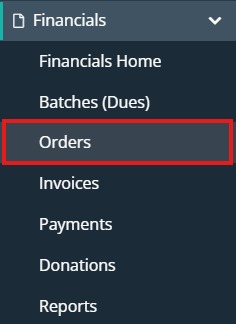
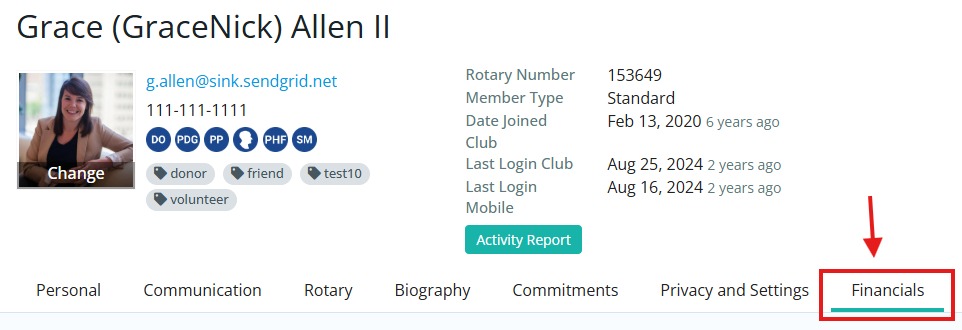
To refund a payment you need to bring up the order it was processed on. This can be done under Financials -> Orders in the left-hand menu by searching for the specific person or order number, or from the Financials tab of a user’s profile.
-
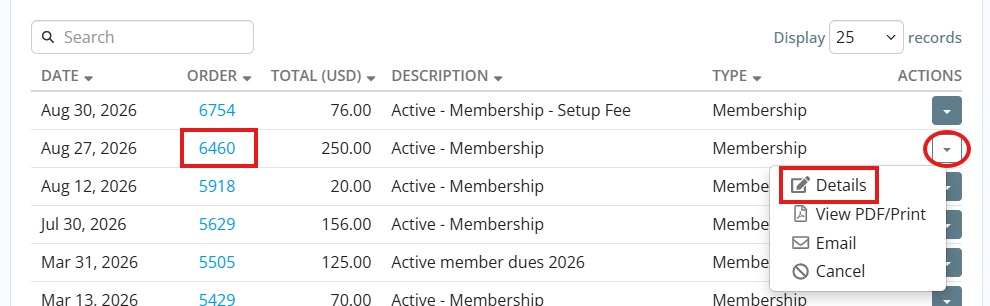
In either section you can click on the order number to open it or click the drop-down arrow on the right-hand side and then Details. If you’re looking on the user profile Financials tab, scroll down to the Order History section to view the orders.
-
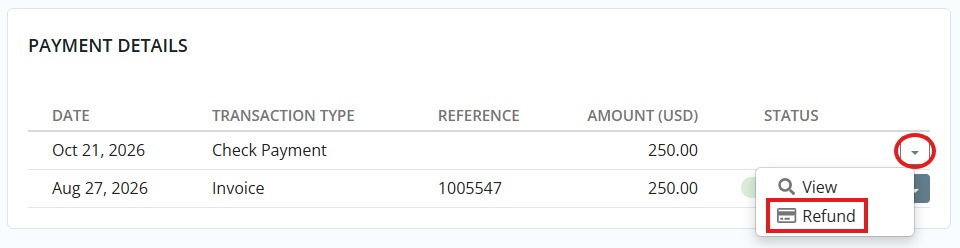
With the order open, scroll to the bottom Payment Details section where you’ll see the payment that was received or tracked. To refund this payment, click the drop-down arrow on the right and select Refund.
-
You will then be prompted to enter the details for the refund: the amount to refund, a note, if you want the updated invoice to be emailed to the user, or if you want to add the refund to the user’s wallet balance (this can then be used to pay other invoices).
If you are refunding an online transaction, you will have another option to select if you want to process the refund back to the user’s credit card or not.
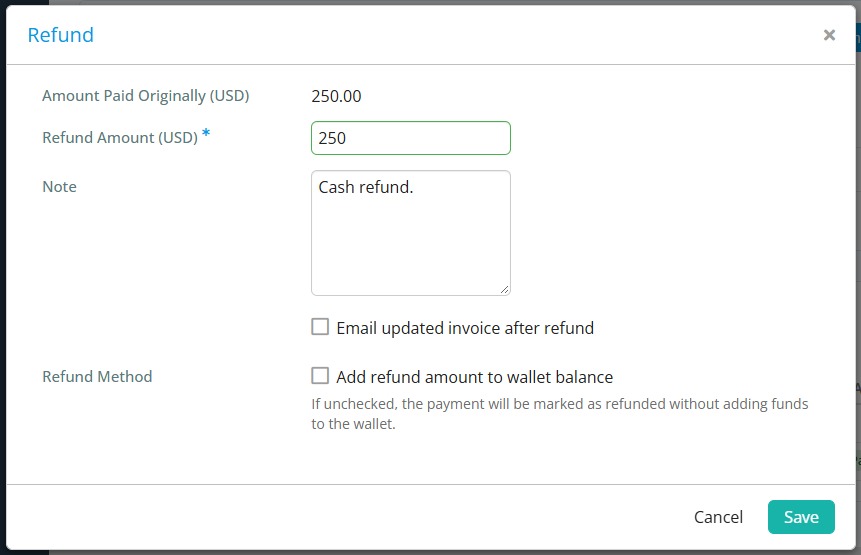
-
Once you click Save the associated order and invoice will be updated, which will adjust the balance owing on the invoice and the user’s account balance as well.