


You may have up to 25 active signup lists, but can archive a volunteer list to make room for new lists. Once the signup list is archived it cannot be edited, but you can copy or restore it. To learn more about this, please follow the steps below.
-
To begin, log in to your account through your club homepage, then click on Member Area in the top right-hand corner. Alternatively, click here to go directly to the ClubRunner login page.
-
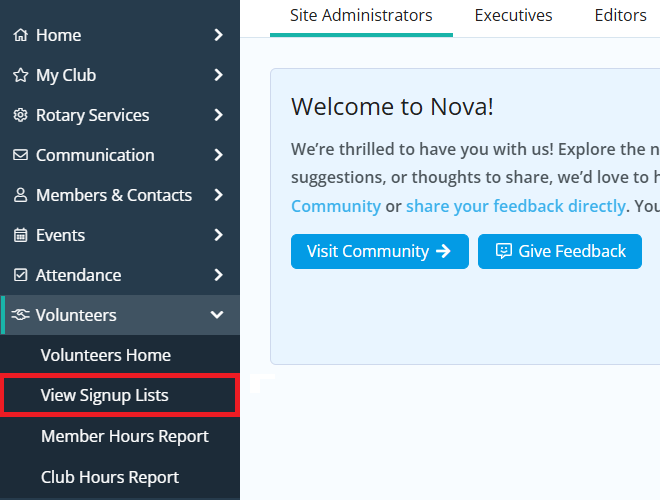
Click the arrow next to Volunteers in the left-hand menu, then click View Signup Lists.
-
Find the list you want to archive, then click the Archive link in the right-hand Actions column.

-
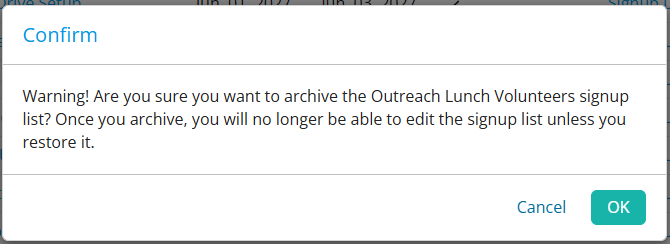
A message will appear confirming you want to archive the signup list. Click OK to confirm the change.
-
To view archived signup lists, click Show Archived Signups near the top right-hand corner of the page.

-
On the Archived Signup Lists page it displays all of the archived signup lists. On the right-hand side you'll see options to view the details of the signup list, create a copy, permanently delete the signup list, or restore it to the active signup lists.
