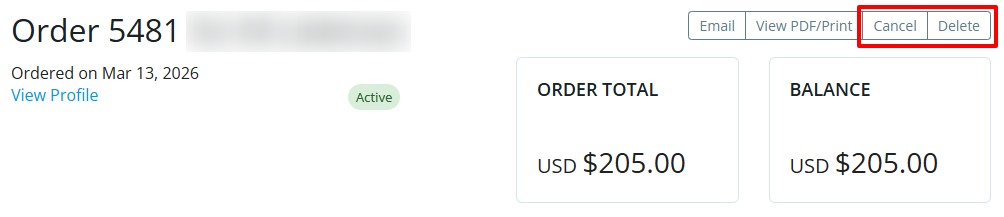
Orders can be cancelled and deleted within ClubRunner if you’re looking to remove them from the account. This would cancel or delete the associated invoices that were issued in relation to the order, and adjust the associated member’s account balance.
Orders that contain invoices with transactions cannot be deleted. Deleted orders cannot be restored.
-
Log in to your account through your club homepage, then click on Member Area on the top right under your club banner. Alternatively, click here to go directly to the ClubRunner login page.
-
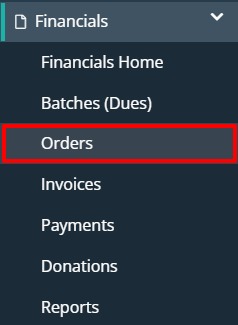
On the left-hand menu, click the arrow next to Financials, then click on Orders.
-
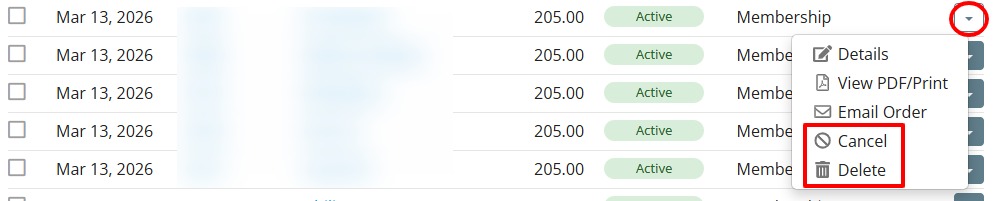
You can cancel or delete an order directly from the order list screen by clicking on the arrow in the right-hand column, then selecting Cancel or Delete.
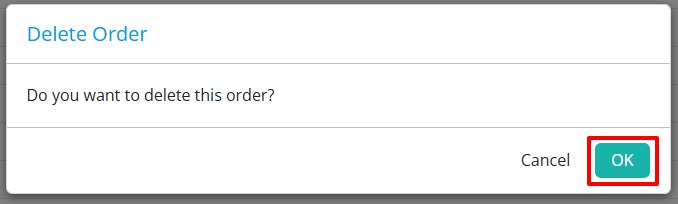
Confirm the selection in the prompt that follows to delete or cancel the order.
-
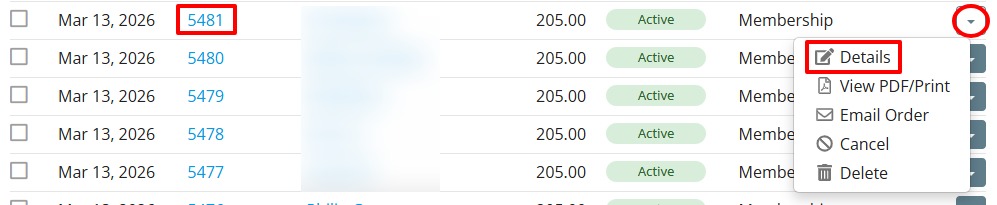
Alternatively, you can open an order and cancel or delete it from there. EIther click on the order number, or click on the arrow in the right-hand column and select Details.
-
To cancel or delete the order from within the individual order screen, click on Cancel or Delete in the top right-hand corner.