


In some circumstances, a member may need to leave the club but still need to log in and access member resources. For example, if someone is no longer a member of the club but is still involved with managing the website, or needs to be able to register for events, it may be beneficial to change their member account into an other user.
In order to convert an active member to an other user, you will first need to terminate their active membership, which will allow you to convert the inactive member into an other user.
-
To begin, log in to your account through your club homepage, then click on Member Area on the top right under your club banner. Alternatively, click here to go directly to the ClubRunner login page.
-
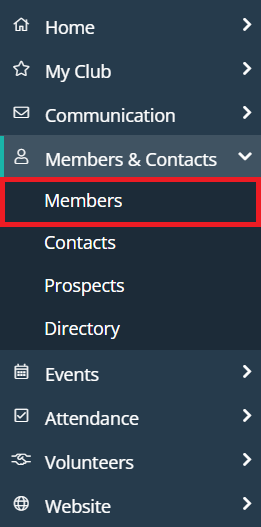
Click Members & Contacts in the left-hand menu navigation, then click Members.
-
Click on the Inactive membership list tab.
-
Navigate to the inactive member you wish to edit and click the drop-down arrow to the right-hand side of their information next to the View button, then click Change Status.
-
Click Activate Membership.
-
Select their new Membership Type and then enter the Club Join Date using the date selector.
-
Rotary clubs can then determine whether or not to report the termination to Rotary International.

-
Once you are ready, click on the Activate Membership button to complete the status change for the selected member.