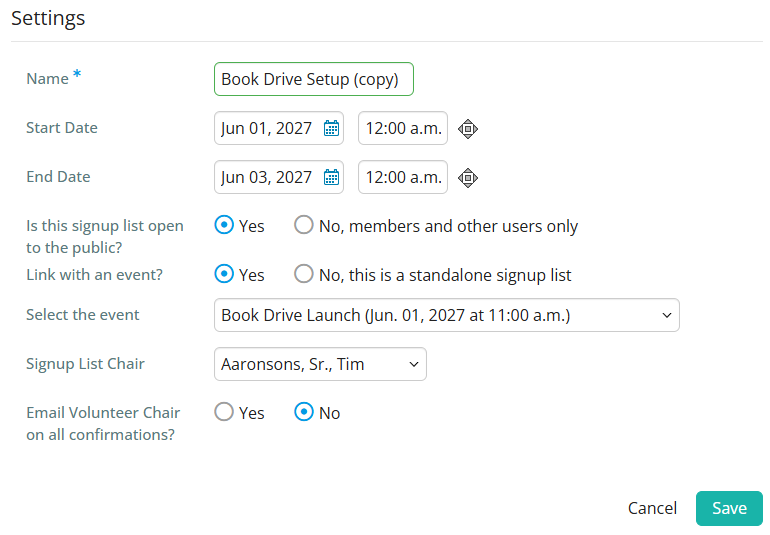
The Volunteers module allows you to make a copy of previous volunteer signup lists, which replicates the list's settings, groups, and tasks (including dates and times if available) without copying over the assigned volunteers. With this feature you can quickly replicate signup lists without needing to re-enter the group and task details.
Only members with level 60 or better access may create or edit volunteer signup lists.
-
To begin, log in to your account through your club homepage, then click on Member Area in the top right-hand corner. Alternatively, click here to go directly to the ClubRunner login page.
-
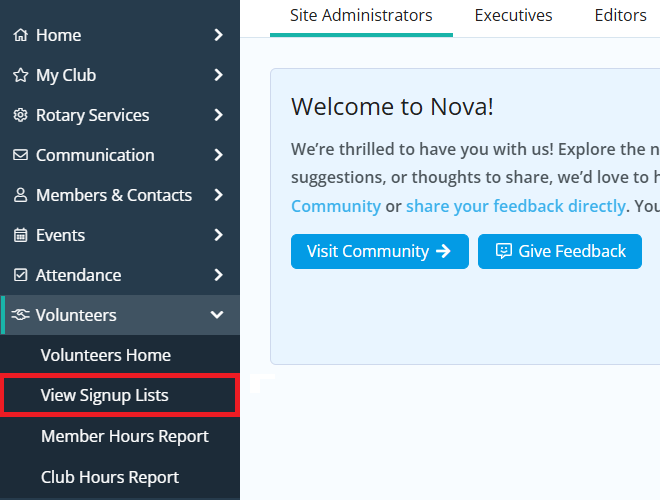
Click the arrow next to Volunteers in the left-hand menu, then click View Signup Lists.
-
Find the list you want to create a copy of, then click the Copy link in the right-hand Actions column. If you wish to copy an archived signup list, you will first need to click Show Archived Signups.

-
On the following page you may customize the name and starting date, as well as other details for the duplicate list. Fill out these fields as appropriate and then click Save to create the signup list copy. Or, click Cancel if you wish to discard it.