


If your club is subscribed to ClubRunner, you can easily switch between your club and district-level accounts from anywhere in the members area.
To begin, log in to your account through your club or district homepage, then click on Member Area on the top right-hand corner under your club banner. Alternatively, click here to go directly to the ClubRunner login page.
If you have administrator access at the Zone level, you will also see that option when switching between your available accounts.
For ClubRunner Nova
-
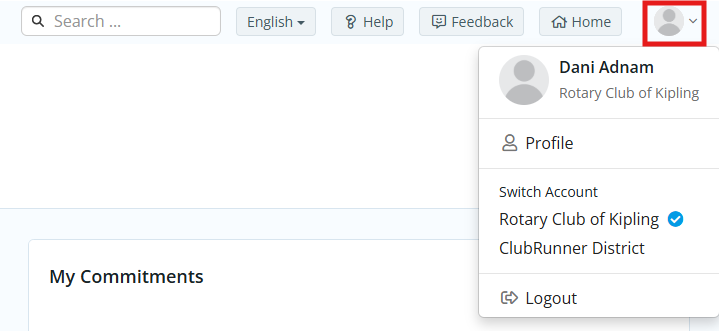
To switch between your club and district accounts, click the profile icon in the top right-hand corner of any page.
-
You may then click on the name of your club or district to switch between the two different accounts.
For ClubRunner Classic
-
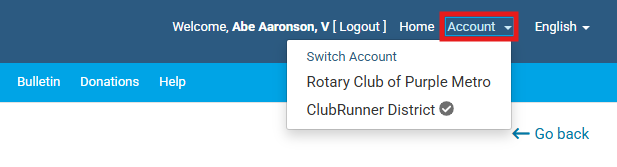
To switch between your club and district accounts, click the Account link in the top right-hand corner of any page.
-
You may then click on the name of your club or district to switch between the two different accounts.