


Nova for Districts has a Rotary Services module that compiles information on how clubs are integrated with Rotary across your district. You may use these reports to determine which clubs have not yet enabled integration or have outstanding sync issues that need to be addressed.
This support article will show you how to access the various integration sync reports.
-
To begin, log in to your account through your district homepage, then click on Member Area in the top right-hand corner. Alternatively, click here to go directly to the ClubRunner login page.
-
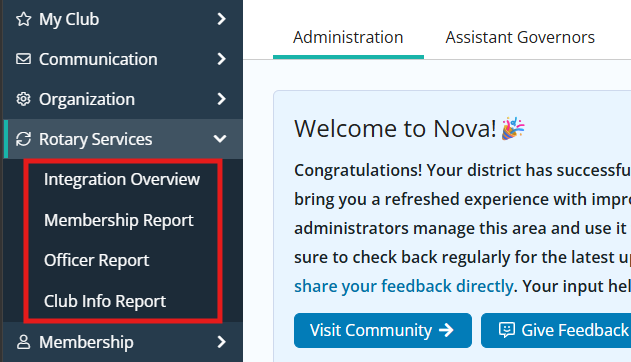
Click the arrow next to Rotary Services in the left-hand navigation menu. You will see the following options:
-
Integration Overview - This dashboard displays general information on how many clubs have opted in to Rotary integration and the types of data sent to or received from Rotary.
-
Membership Report - This displays information on the sync status for membership information for all clubs in the district.
-
Officer Report - This displays information on the sync status for executive and director information for all clubs in the district.
-
Club Info Report - This displays information on the sync status for club information for all clubs in the district.
-
-
Click the appropriate option to open the respective report. The following steps will go over what you'll see on the Membership Report, Officer Report, and Club Info Report.
-
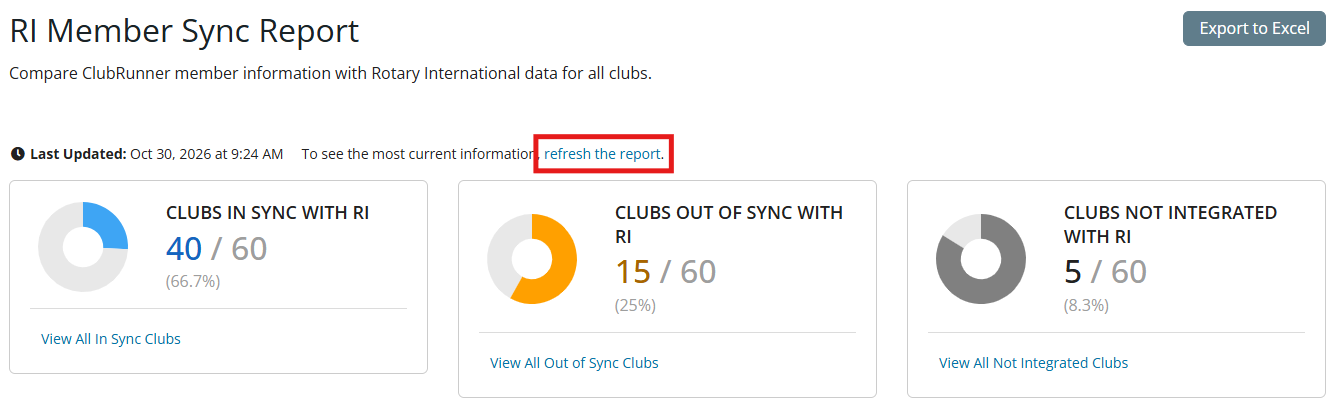
At the top of the page you will see graphs displaying the sync status of the type of information in the chosen report, as well as when the report was last generated. You may click refresh the report to resync the data, which may take a few minutes to load. You may also click the Export to Excel button to download a spreadsheet copy of the information in the report.
-
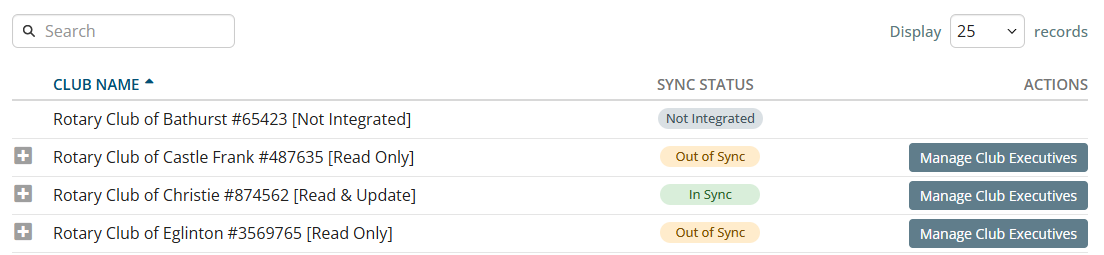
Underneath the graphs, you will see the full list of clubs along with their integration status, sync status, and links to manage members, executives, or club information depending on the report viewed. You may use the search field above the list to narrow the displayed results by keywords in any of those fields.
-
At the top of this section, you may use filters to narrow the displayed results. Make your desired selections and click Update Results to update the displayed information based on the following:

-
Club - Select an individual club to view.
-
Status - Display only clubs that are In Sync, Out of Sync, or Not Integrated with RI.
-
Year - This option is available on the RI Executives Sync Report and allows you to select from the current or following Rotary year.
-
-
Click the + expand icons on the left-hand side of any club to display a comparison of the data that appears in ClubRunner and Rotary International.
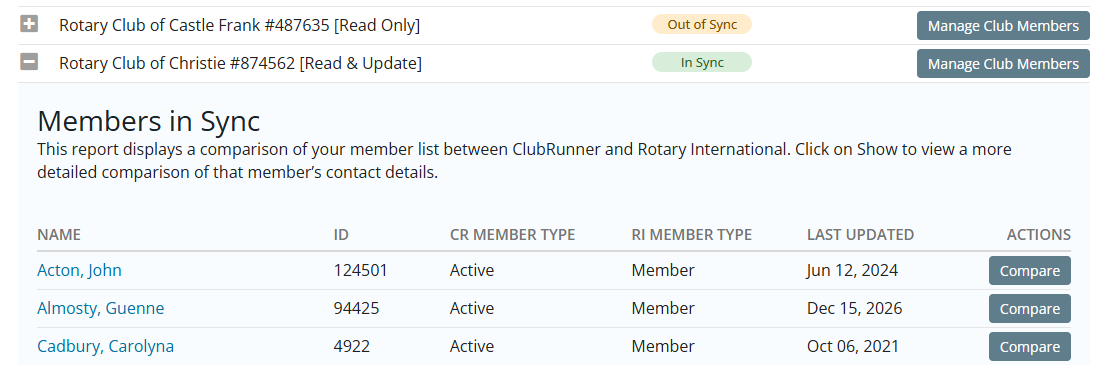
You may click the club-level option to Manage Members, Manage Club Executives, or Manage Club Info based on the report being viewed, and can click Compare next to individual members in the RI Member Sync Report to make changes as needed.