


Committees are an excellent way to organize the activities of your club. This support article will show you how to add new members to existing committees.
To learn how to create a committee, please read the support article: How do I create a new committee?
-
To begin, log in to your account through your club homepage, then click on Member Area in the top right-hand corner. Alternatively, click here to go directly to the ClubRunner login page.
-
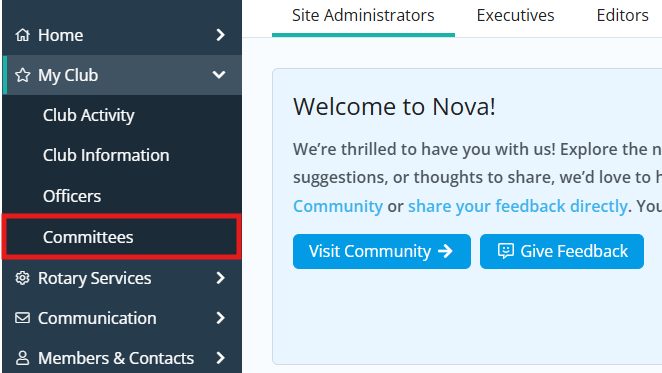
Click the arrow next to My Club in the left-hand navigation menu, then click Committees.
-
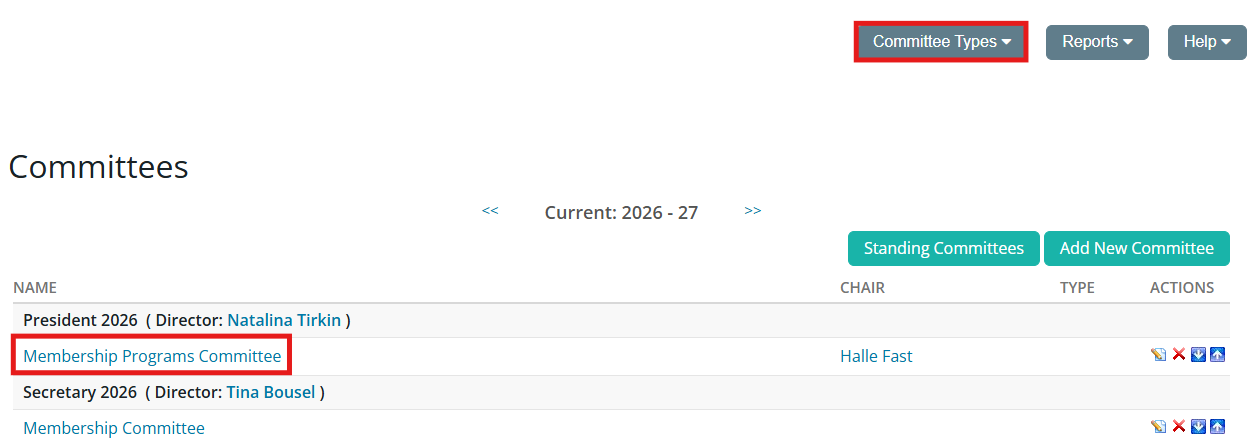
Click the name of the committee you wish to add members to. You may need to switch the view between standing and yearly committees using the Committee Types drop-down menu in the top right-hand corner to find the committee you are looking for.
-
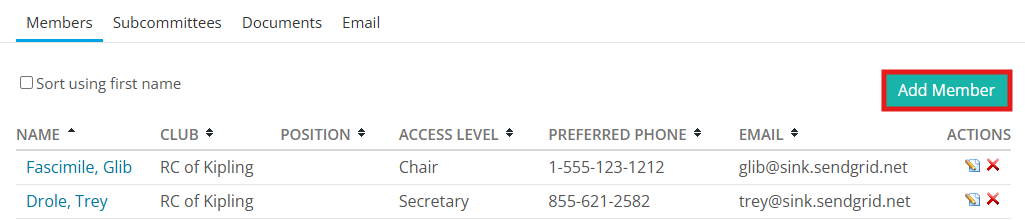
On the following page, you can add committee members and set other details. To add a member to the committee, click the Add Member button.
-
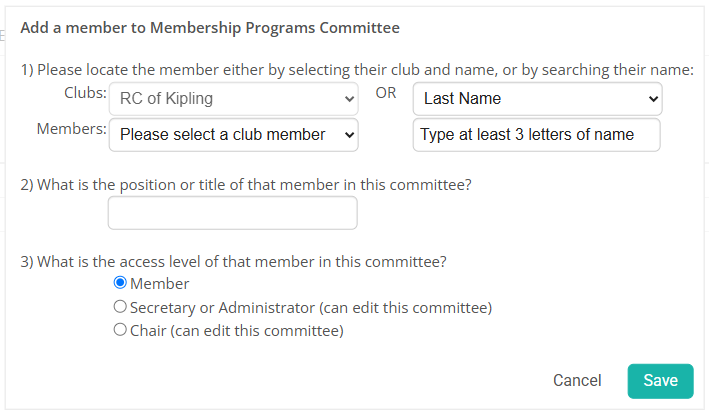
Enter the member details in the popup window that appears. Click the Members drop-drop menu to choose a member from your club. You may also search for a member using the options to the right-hand side of the drop-down menu.
-
Enter the position or title for the member in the committee. Next, assign an access to the member on the committee. You will have these options:
-
Member: This access level cannot edit or change the committee.
-
Secretary or Administrator: This access level can add new members and edit the committee.
-
Chair: The committee chair has the same access as Secretary or Administrator.
-
-
Click Save to add the member to the committee.