


Groups are custom spaces for committees, boards, and other sets of members to collaborate. You can use smart lists to populate dynamic groups with members based on their roles or club activity.
This support article will show you how to create a group as a district administrator.
-
To begin, log in to your account through your district homepage, then click on Member Area on the top right-hand corner. Alternatively, click here to go directly to the ClubRunner login page.
-
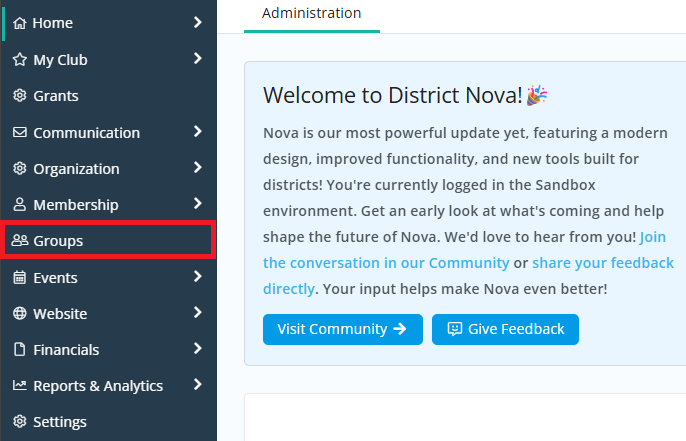
Once inside the members area, click Groups in the left-hand navigation menu.
-
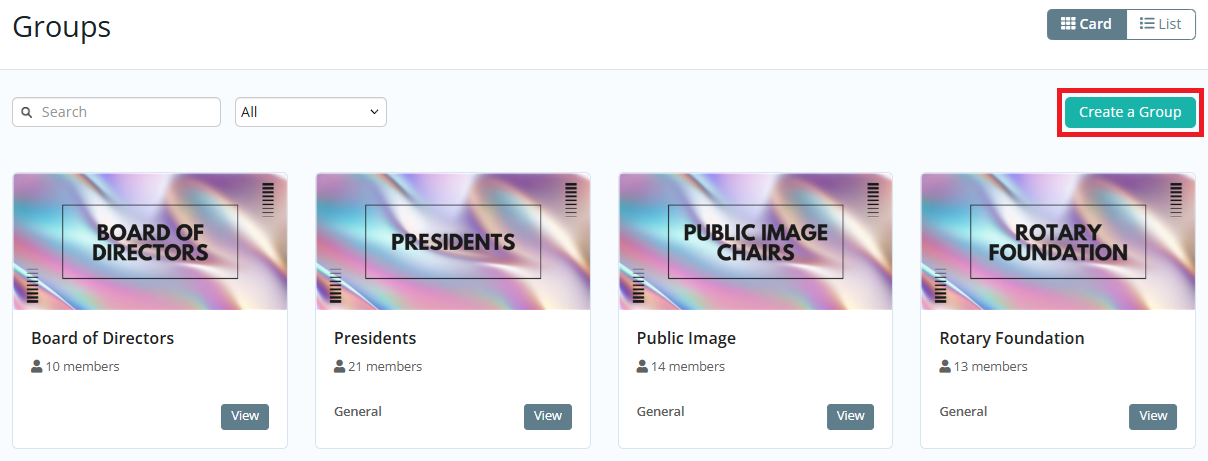
Click the Create a Group button in the top right-hand corner.
-
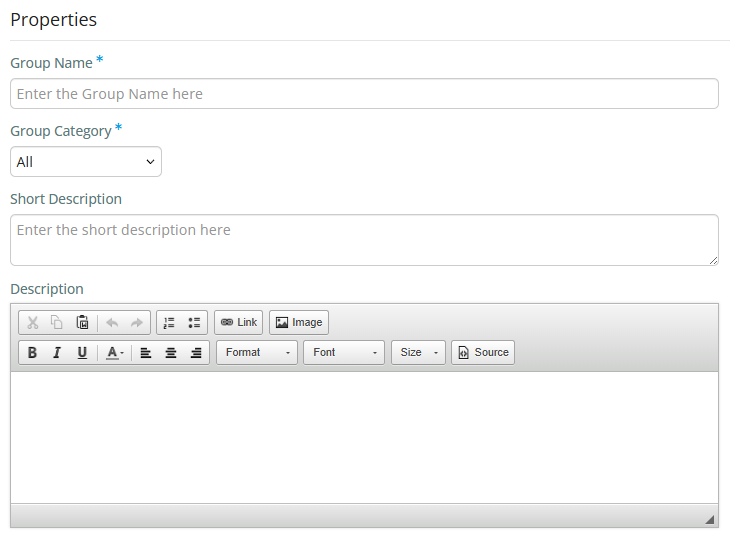
Enter the details for the new group on the page:
-
Group Name - The name of the group.
-
Group Category - The group category this group falls under.
-
Short Description - A teaser or short description of the group.
-
Description - The full description of the group. This is displayed when a non-group member clicks the About Group button.
-
-
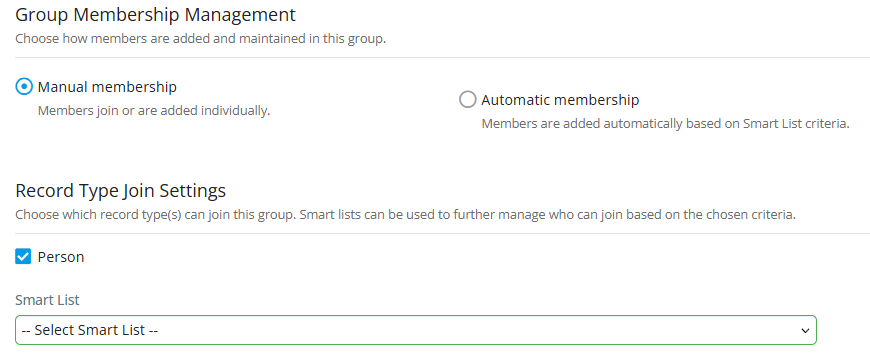
Next, you may choose how members are added and maintained in this group. There are two options:
-
Manual membership - Members join or are added individually. You may select a smart list to determine which types of records are able to join this group. If you do not select a smart list, then any member in the district is able to join the group.
-
Automatic membership - Members are added automatically based on smart list criteria. For example, you may select the "Club Presidents" smart list to automatically add all club presidents to the group. You may select multiple smart lists to populate members of the group.
-
-
You have the option of uploading two images to associate with the group. Click on the image icons to upload an image from your device.
-
Cover Image - The image when a non-group member clicks the About Group button.
-
Group Image - The image on the Group List page.
-
-
Click Save at the bottom of the page to create the group.

To learn how to edit the group's settings, please read the support article: How do I update the settings for a group on the district?