A vCard or VCF (Virtual Contact File) is a downloadable file of an individual's contact information that can be imported to email clients and other messaging services. You may use a vCard to quickly add a member or contact's information to another device such as your mobile phone.
This support article will show you how to download vCards from your Nova members area.
For instructions on how to download a vCard for clubs using classic ClubRunner, please read: How do I download a vCard of contact information for a member?
After following the steps below, the vCard will be downloaded onto your device. On most systems you will be able to locate this file in the Downloads folder, but this may vary according to your operating system and personal browser settings.
To begin, log in to your account at the club and navigate to the members area, then follow the steps below.
From the Member Directory
-
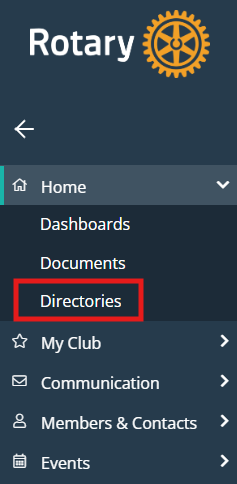
Click the arrow next to Home in the left-hand menu navigation, then click Directories.
-
Click List View on the right-hand side of the page.

-
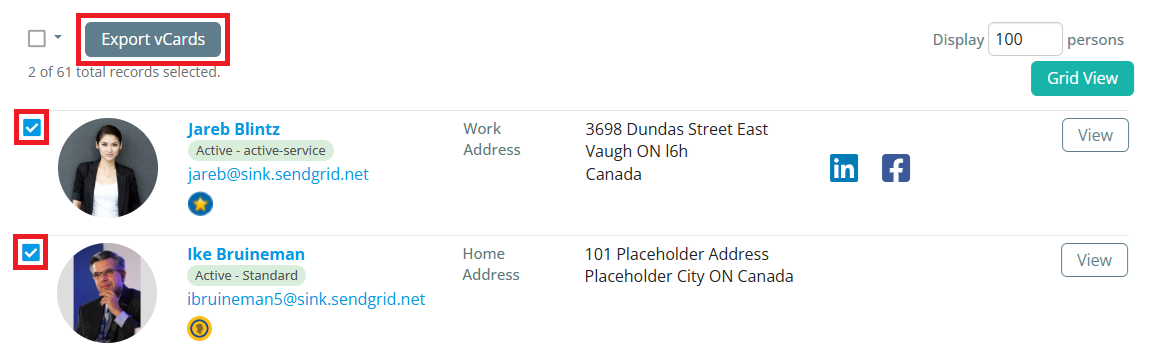
Click the checkboxes to the left-hand side of one or more records, then click the Export vCards button.
From the Members & Contacts Lists
-
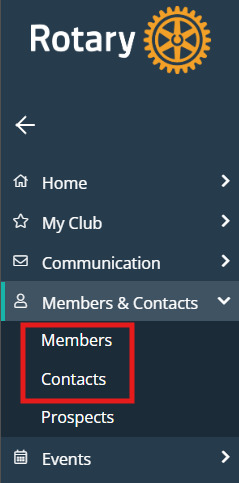
Click Members & Contacts in the left-hand menu navigation, then click either Members or Contacts depending on who you wish to download the vCards for.
-
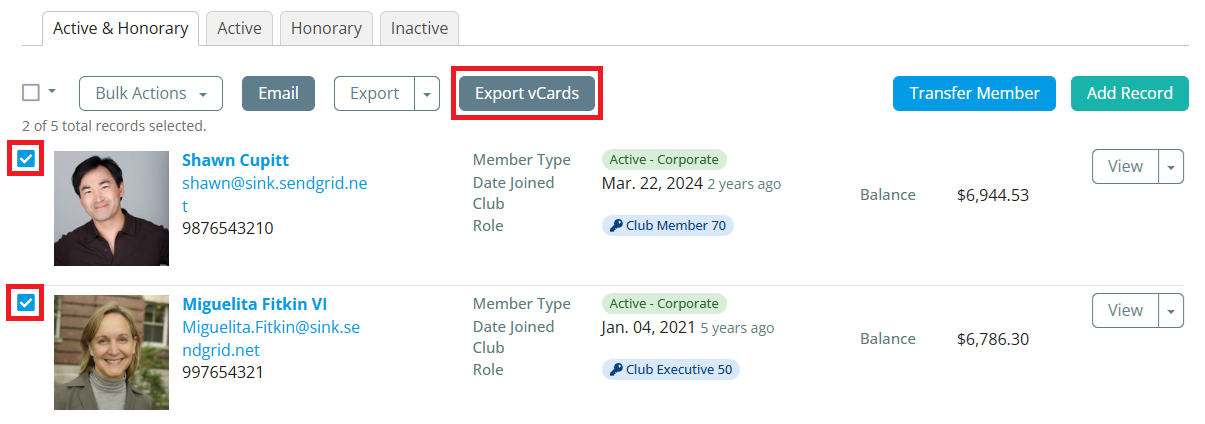
Click the checkboxes to the left-hand side of one or more records, then click the Export vCards button.