The Donations dashboard provides insights into your donation activity, such as average donation, top donors, breakdown by donation tiers and more. This support article will show you how to review the donation analytics for your club.
You will not be able to access the Donations dashboard until your club has received donations.
To learn how to set up the built-in donations page, please read the support article: How do I set up and use the Donations page?
-
To begin, log in to your account through your club homepage, then click on Member Area in the top right-hand corner. Alternatively, click here to go directly to the ClubRunner login page.
-
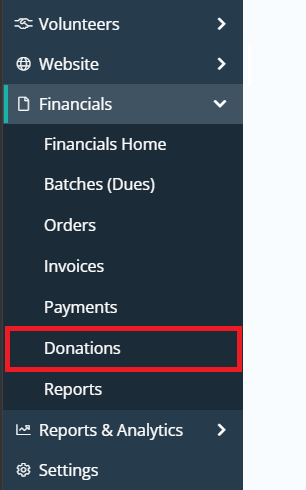
Click the arrow next to Financials in the left-hand menu, then click Donations.
-
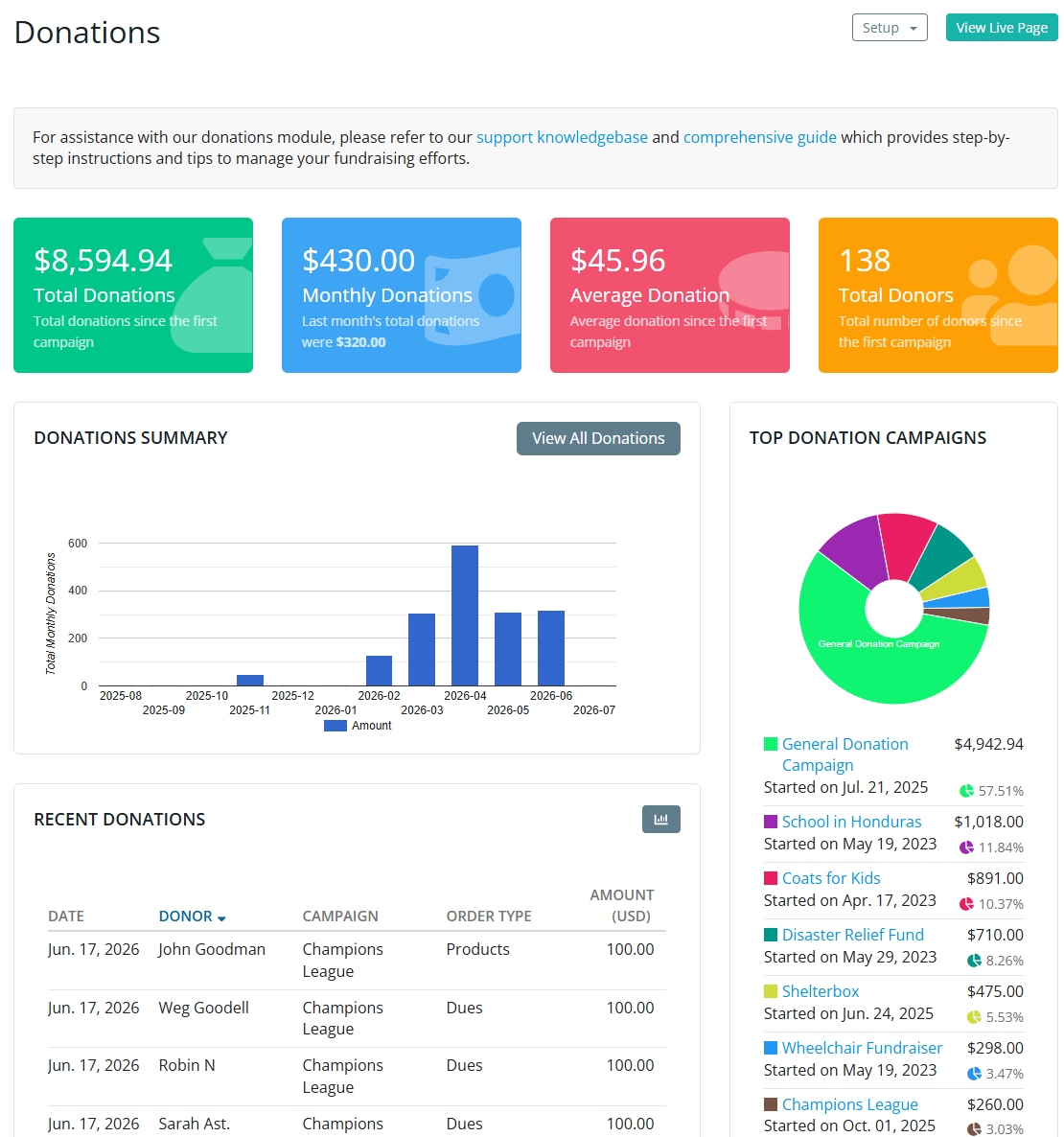
On the Donations dashboard, you will see the following sections:
-
Total Donations - Total donations received through the website.
-
Monthly Donations - Total amount of funds received from donations this month and last month.
-
Average Donation - Average donation amount since the first campaign.
-
Total Donors - Total number of donors since the first campaign.
-
Donations Summary - A bar graph displaying donations received over each month.
-
Top Donation Campaigns - The total amount of funds received for each donation campaign displayed as a pie chart.
-
Recent Donations - Displays the most recent donations received.
-
View All Donations - Click View All Donations to view the Donations list page where you can export donation transactions over a date range.
-
-
Popular Donation Amounts - The most popular donation presets displayed as a pie chart.
-
Percentage of Donor Members - Displays the total percentage of donors that are members or non-member.
-
Payment Statuses - A pie chart of the donors that have submitted or not submitted payment for their donation.
-
-
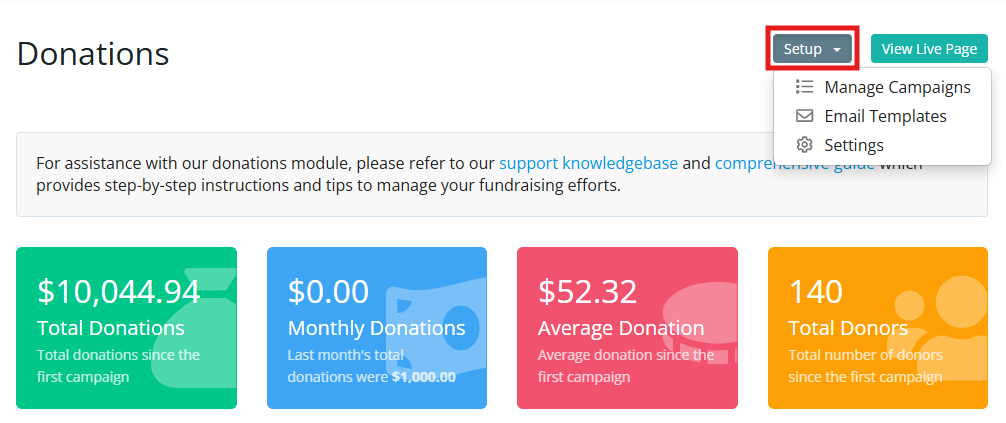
In the top right-hand corner you may click the Setup drop-down menu to manage donation campaigns, donation email templates, or donation settings. You may also click View Live Page to quickly navigate to your club's built-in donations page.