


While you cannot accept cash or check donations directly through the Donations module, you may create an order or batch of orders for the donation campaign, then log the external cash or check transaction for each generated invoice. This support article will go over the steps of how to do so.
-
To begin, log in to your account through your club homepage, then click on Member Area in the top right-hand corner. Alternatively, click here to go directly to the ClubRunner login page.
-
Follow the steps in this support article to create an individual order: How do I create a new invoice/order?
To create a batch of orders, follow the steps in: How do I create a batch of invoices?
-
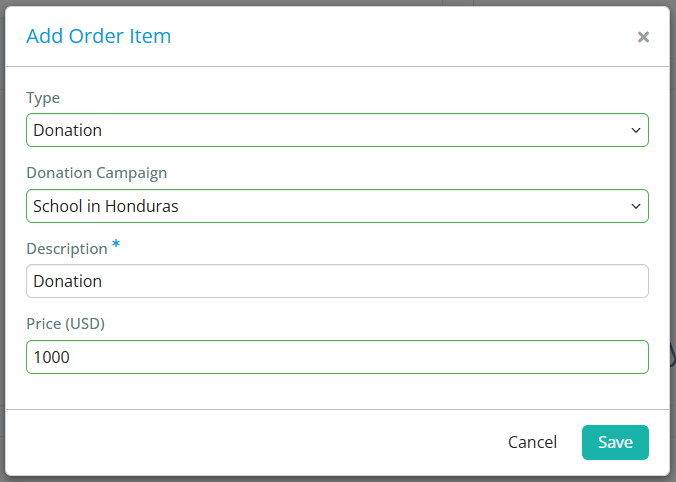
When adding items to the order, you may select the specific donation campaign and amount that was provided by the donor.
-
Once the invoice or invoices have been created, you may log the cash or check payment by navigating to the Invoices page and following the steps in: How do I enter or record a payment for an invoice?
You may also log multiple transactions by following the steps in: How do I apply payments to multiple invoices at once?
-
The funds will be added to the appropriate donation campaign totals for reporting purposes.
