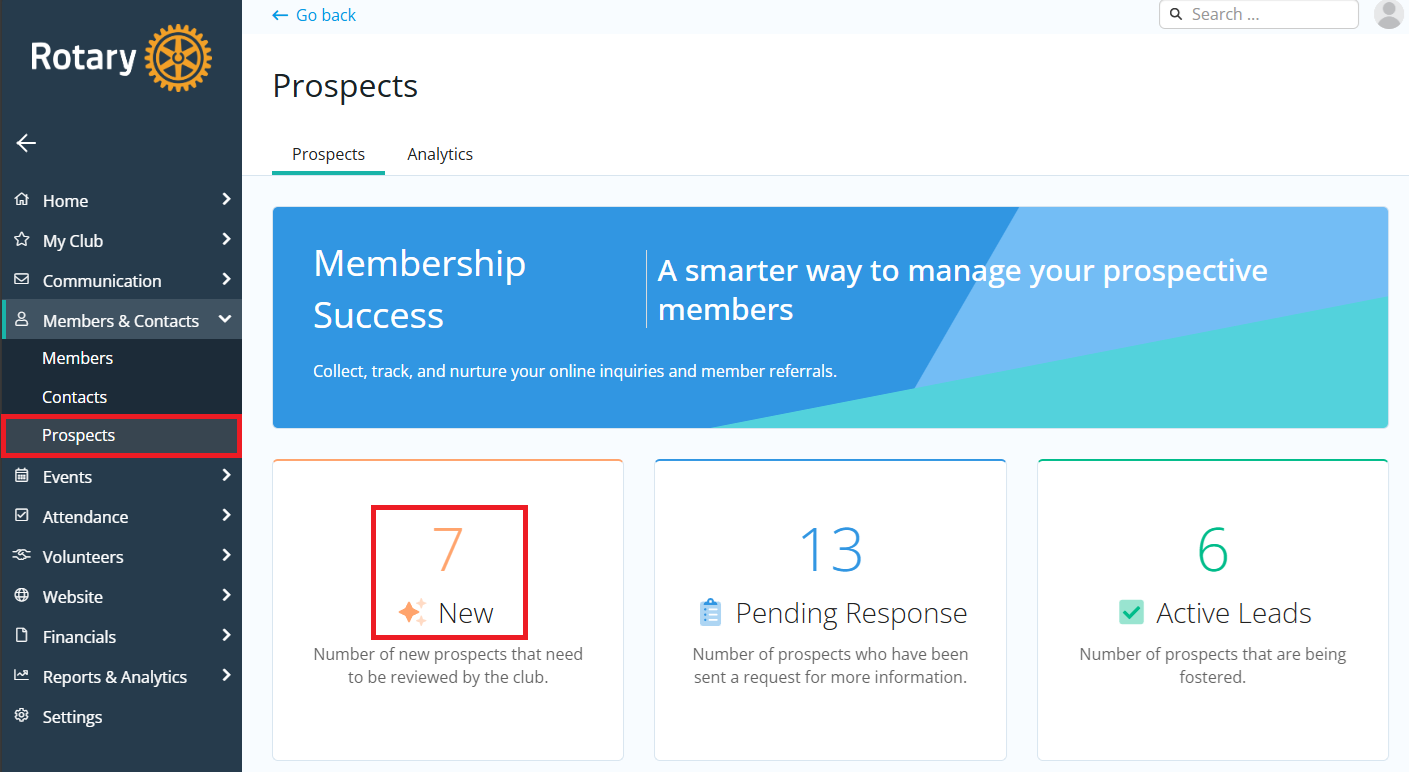
A prospect record can be created by filling out the inquiry form, being referred to the club by another member, or by converting an existing contact or Other User record into a prospect. This support article will show you how to add an existing contact record to your prospects list in the Membership Success module.
For more information on how to add a contact record, please read: How do I add a member / contact?
-
To begin, log in to your account through your club homepage, then click on Member Area on the top right-hand corner under your club banner. Alternatively, click here to go directly to the ClubRunner login page.
-
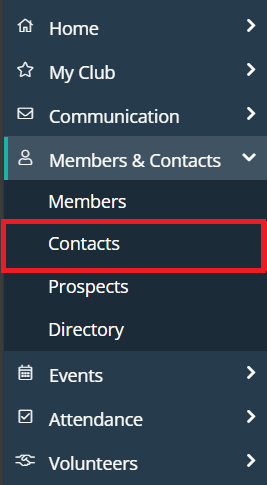
Once logged in, click on Members & Contacts in the left-hand side menu and select Contacts.
-
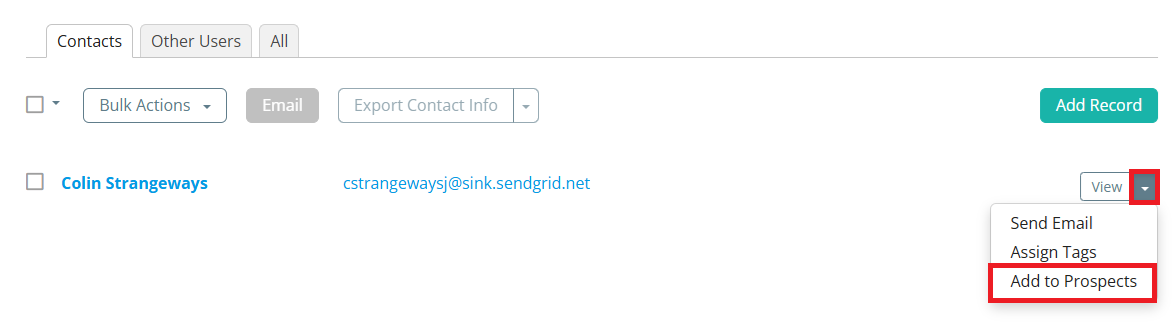
Locate the contact in the list and click the drop-down arrow on the right-hand side of their information, then click Add to Prospects.
-
The record will receive the "prospect" tag and be added to the "New" section of the Membership Success module. You can view the record by clicking Prospects in the Members & Contacts menu on the left-hand side, then clicking New.