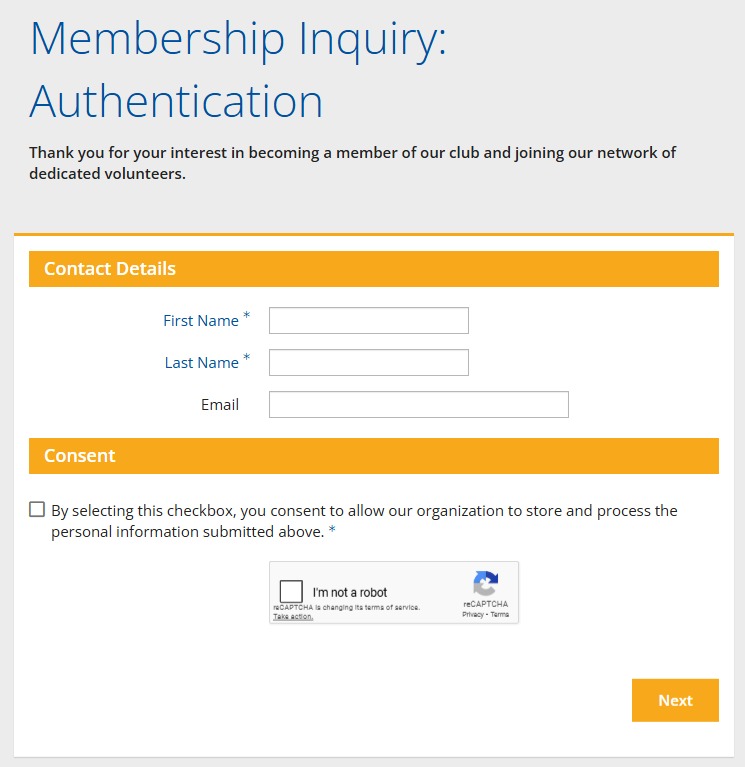
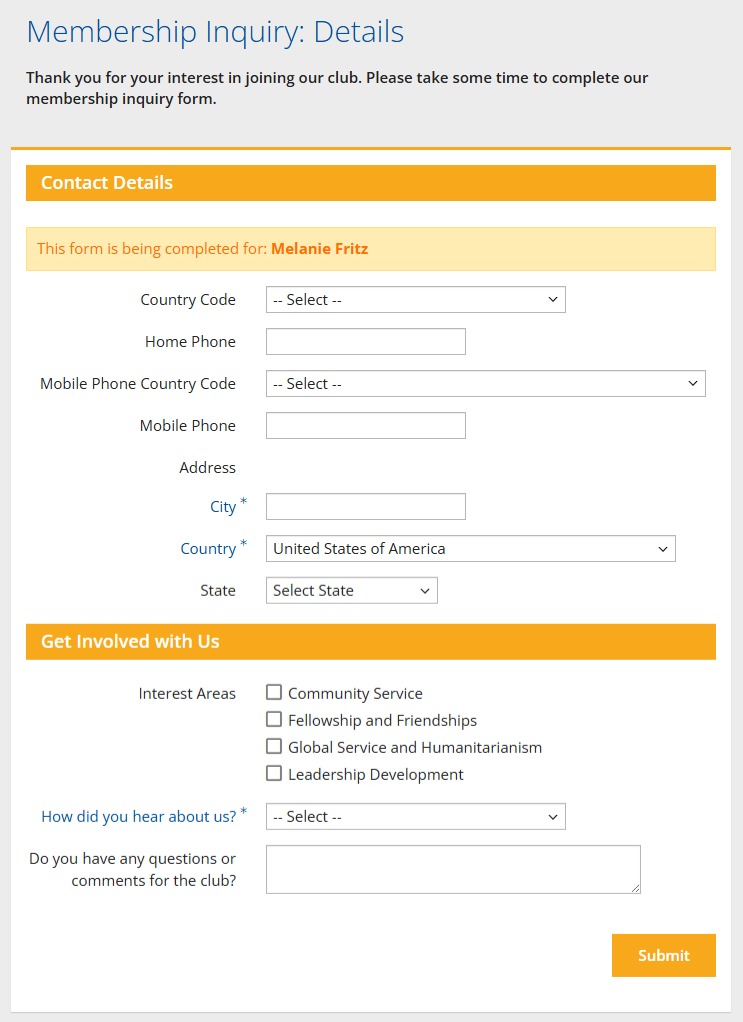
The Membership Success module includes an application that all prospective members can fill out through your club website. This article will go through the steps of how to access and link the Membership Inquiry form.
-
To begin, log in to your account through your club homepage, then click on Member Area on the top right-hand corner under your club banner. Alternatively, click here to go directly to the ClubRunner login page.
-
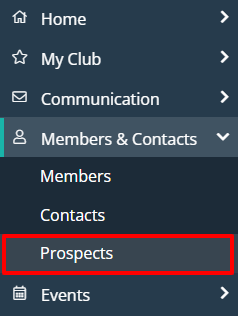
Once logged in, click on Members & Contacts in the left-hand side menu and select Prospects.
-
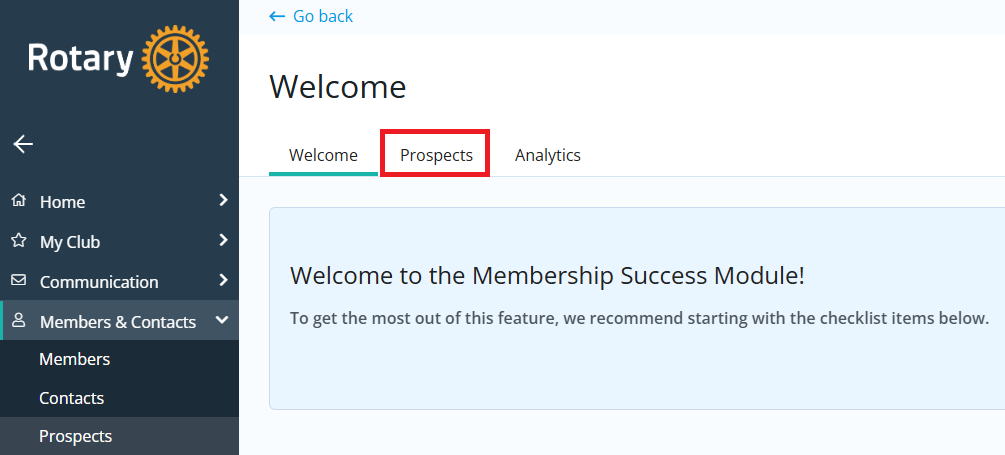
If you see the Membership Success Welcome page below, click Prospects. If you do not see this page, move on to the next step.
-
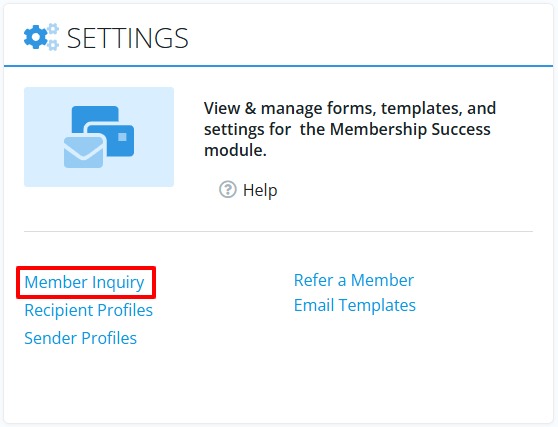
Down towards the bottom of the page you'll find a "Settings" section, click Member Inquiry. To avoid going away from your ClubRunner account you may want to right-click this link and select to open it in a new browser tab/window.
-
The member inquiry link will open up the Membership Inquiry form, which is the form that should be submitted my anyone who is looking to be added as a prospective club member. You'll want to obtain the URL of this page, that way to you can send it to anyone via email or another method.

-
If you're looking to send this form to contacts within your ClubRunner account, please see the following article on composing and sending emails: How do I compose and send an email?
This form can be added to your website as well, in the main navigation menu or anywhere within the page content. See the following article for building the website navigation menu: How do I build the navigation menu?
-
The following shows what you can expect prospective members to be asked to fill out in the form: