


Nova is a major ClubRunner update that brings our most advanced improvements into one modern platform for clubs and districts. Built to simplify your daily operations, Nova features a refreshed, intuitive design that helps you find information faster, stay organized, and manage tasks with ease so you can focus on what matters most.
There is no additional cost for the district or clubs to upgrade, as it is all included with the ClubRunner subscription. If your district is interested in the free upgrade, please connect with our team by emailing support@clubrunner.ca.
This support article will highlight some of the notable differences and new features you will see after upgrading to Nova for Districts.
You may also watch a video overview by navigating to: What's new in Nova for Districts?
It is not necessary for all clubs to upgrade to Nova if the district upgrades. The Nova update has been designed so that if the district has not switched to Nova but your clubs have, and vice versa, there will not be any conflicts in data. The district and individual clubs can upgrade whenever they are ready to do so.
You may learn more about the upgrade process by reading: ClubRunner Nova for Districts FAQs
In this article:
Changes to Navigation
New Dashboards
New Email Message Center
Contact Tags
Sender Profiles
Club & Member List Changes
Managing Permissions
Business Directory
Groups
Batch Invoicing
Changes to Navigation
The top level navigation bar has been replaced by a collapsible left-hand menu that has been reorganized for smoother navigation, focusing on the tools you need for everyday tasks. The menu only displays features and links accessible to you. Members will no longer see irrelevant menu items or inactive links.
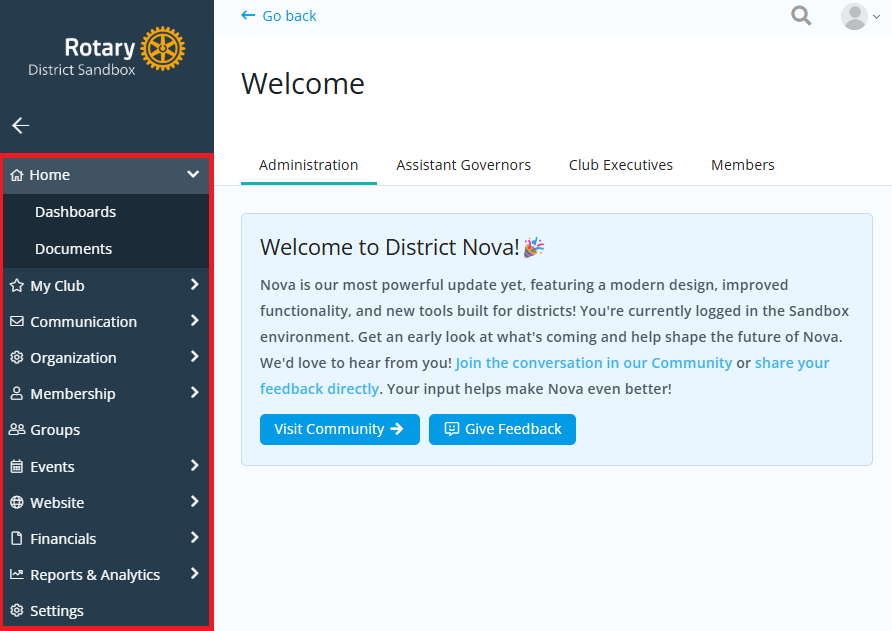
You may click the drop-down arrow beside each category to display shortcuts to main functions, and can click directly on the name of each category to view the top-listed link. If you need more space on the page while working on a particular task, you may click the left arrow to collapse the menu to the side.
New Dashboards
You can always find links to every available tool from the Administration dashboards in the members area.
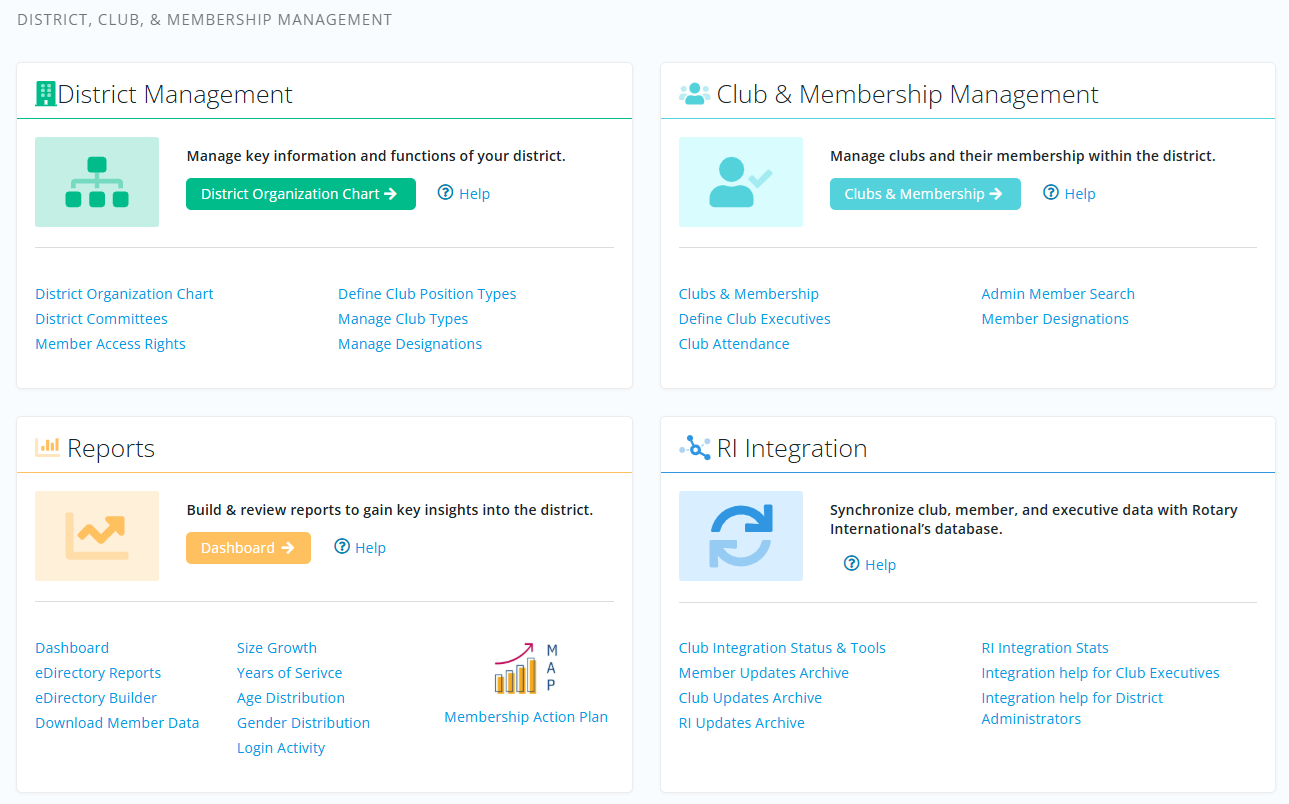
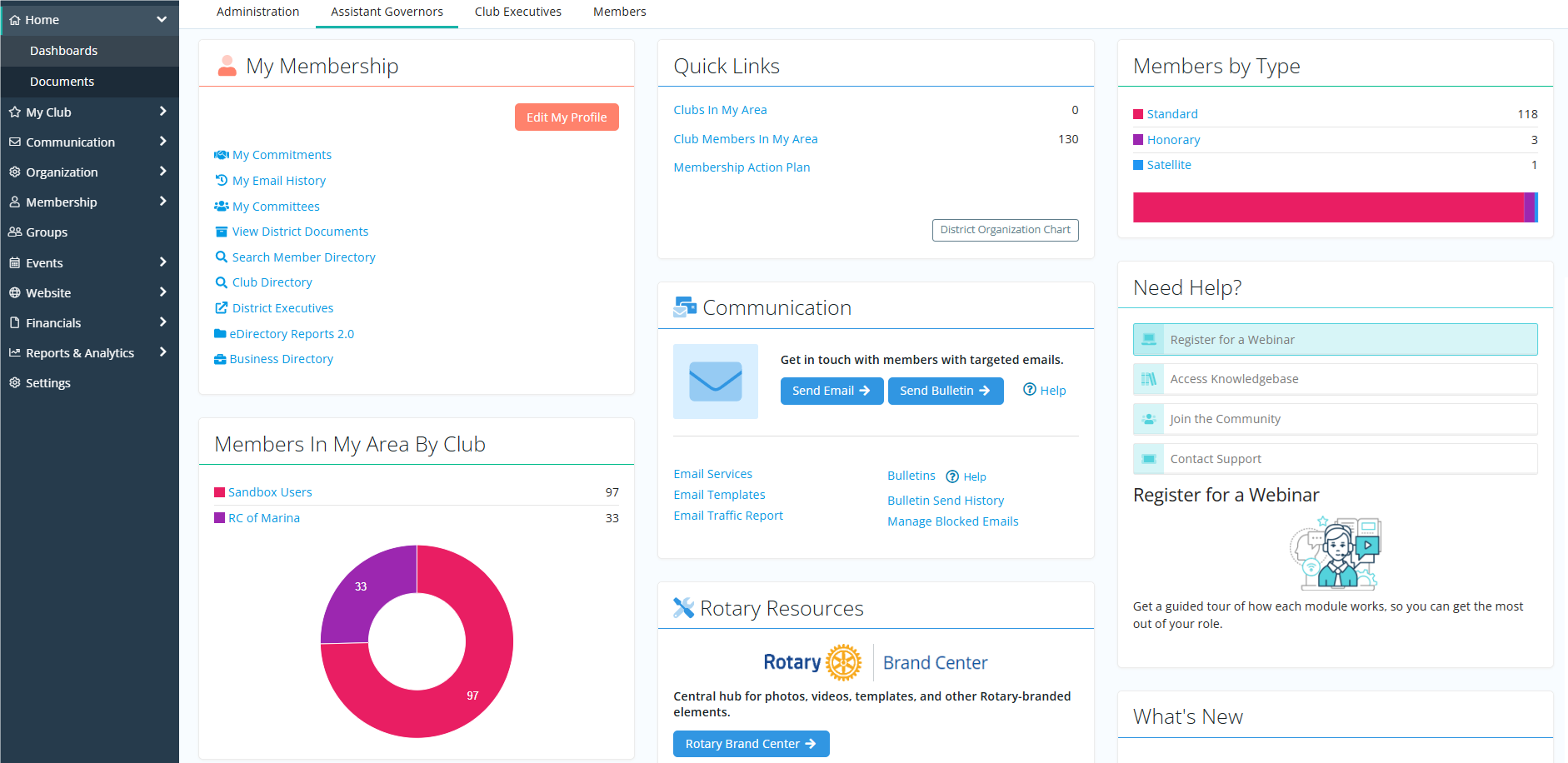
Assistant Governors and Club Executives have their own dashboards with quick access to the tools they need.

The Assistant Governors dashboard includes analytics charts on membership and designation data for the area.
New Email Message Center
The Email Message Center has been improved for functionality and ease of use. The redesigned interface prioritizes the subject and message areas, ensuring a more streamlined email creation process.
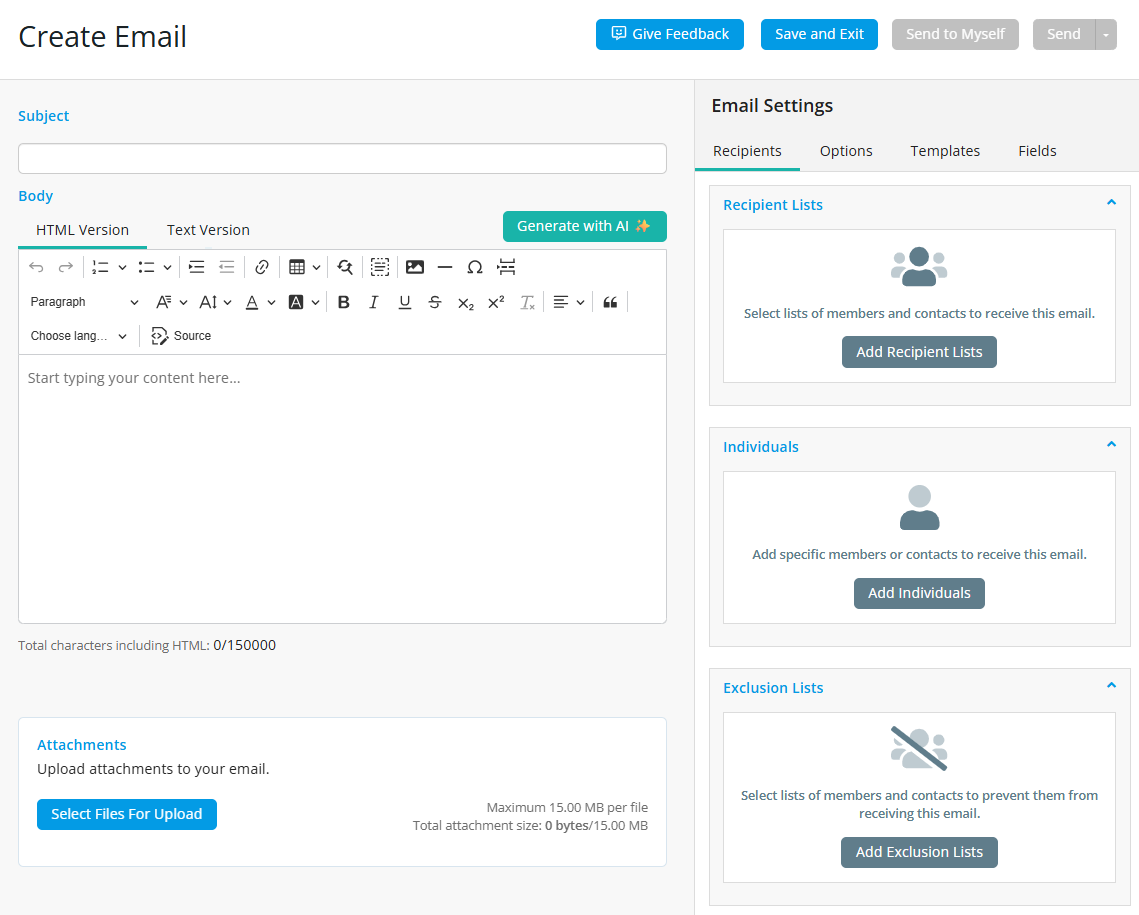
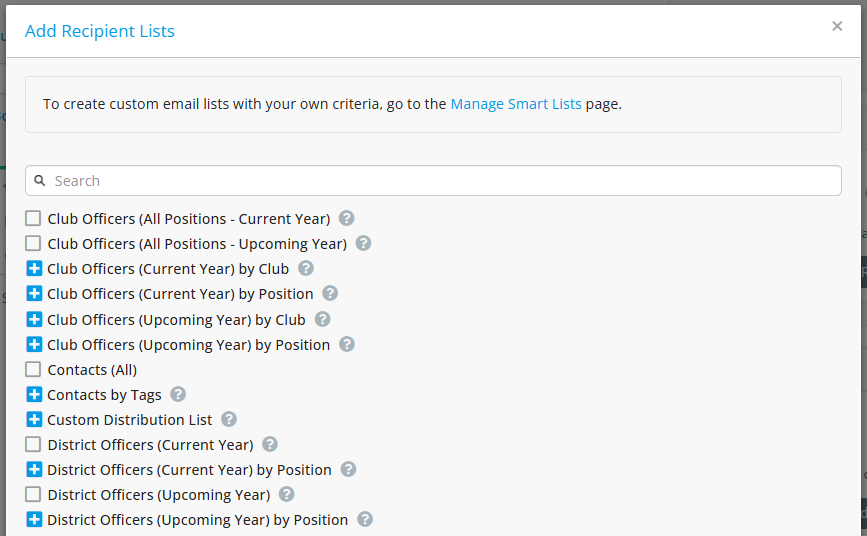
You may use "smart" recipient and exclusion lists to ensure your emails are delivered to the right audience, based on system-generated metrics on roles across your district. You can even create custom recipient lists that include members or contacts based on specific criteria such as membership history, location, age, and more. Smart lists are dynamic until the last moment for scheduled emails, so if your membership changes before the email is sent, the recipients list will automatically update accordingly.
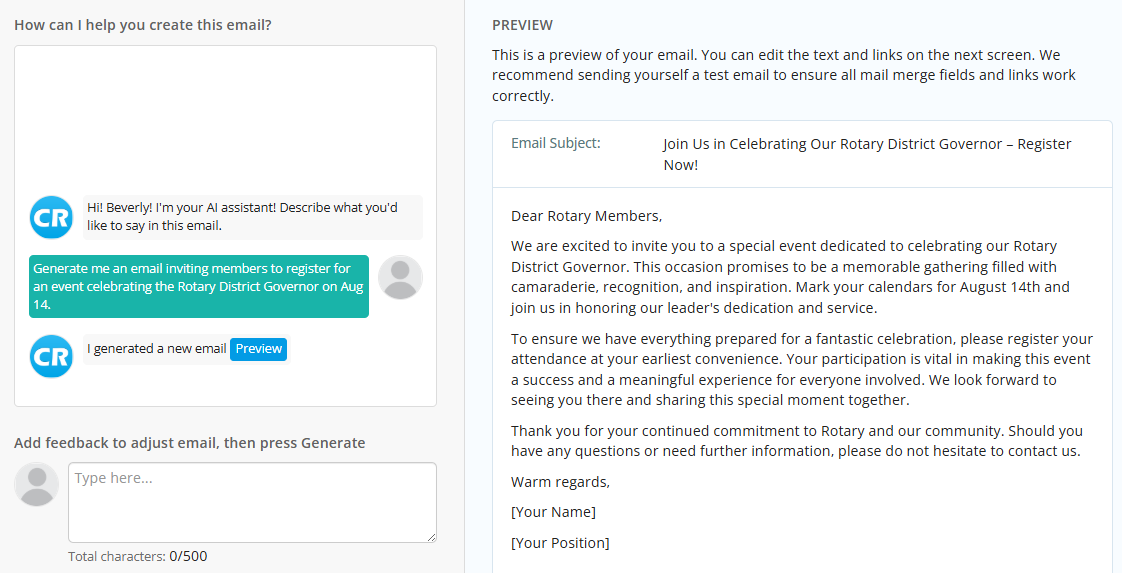
Only available in Nova, you may use an AI Assistant to help draft email messages based on your input and prompts.
You can learn more by reading: How do I compose and send an email?
Contact Tags
Legacy contact groups have been replaced by a new tagging feature, which allows further customization and freedom in organizing your district's members and contacts.
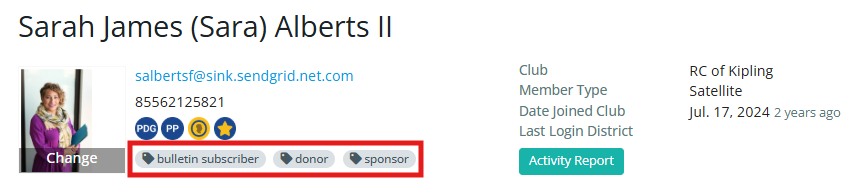
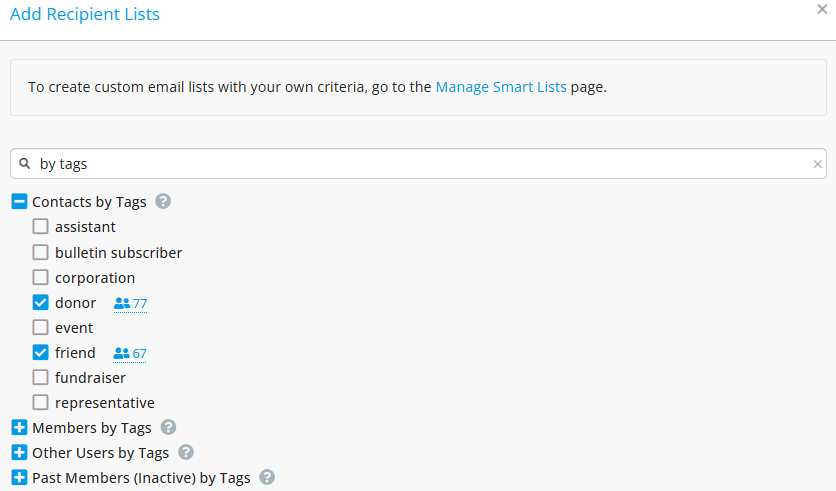
Assign as many tags as you need to any person's record, then create smart lists to target specific membership for emails, exports, and invoices.
You can learn more about tags by reading: How do I create and assign tags to members and contacts?
Sender Profiles
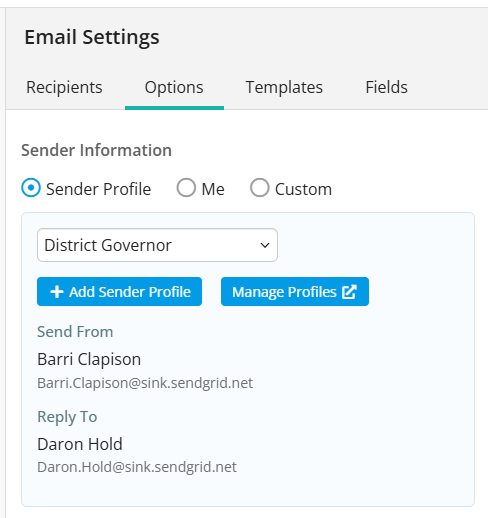
Sender Profiles can be used to send emails from specific email addresses as the "from" address appearing in the recipient's inbox. You can set up multiple sender profiles and choose a default sender for district communications, and can also set a different “Reply to” addresses. As an example, an email may be sent with the District Governor’s name but all replies will get directed to the District Executive Secretary or District Membership Chair.
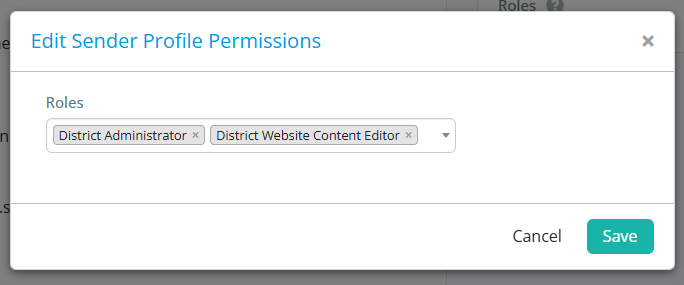
You can also set the permission settings of any sender profile to restrict its access to certain district roles.
For more information about sender profiles, read: How do I edit sender profiles?
Club & Member List Changes
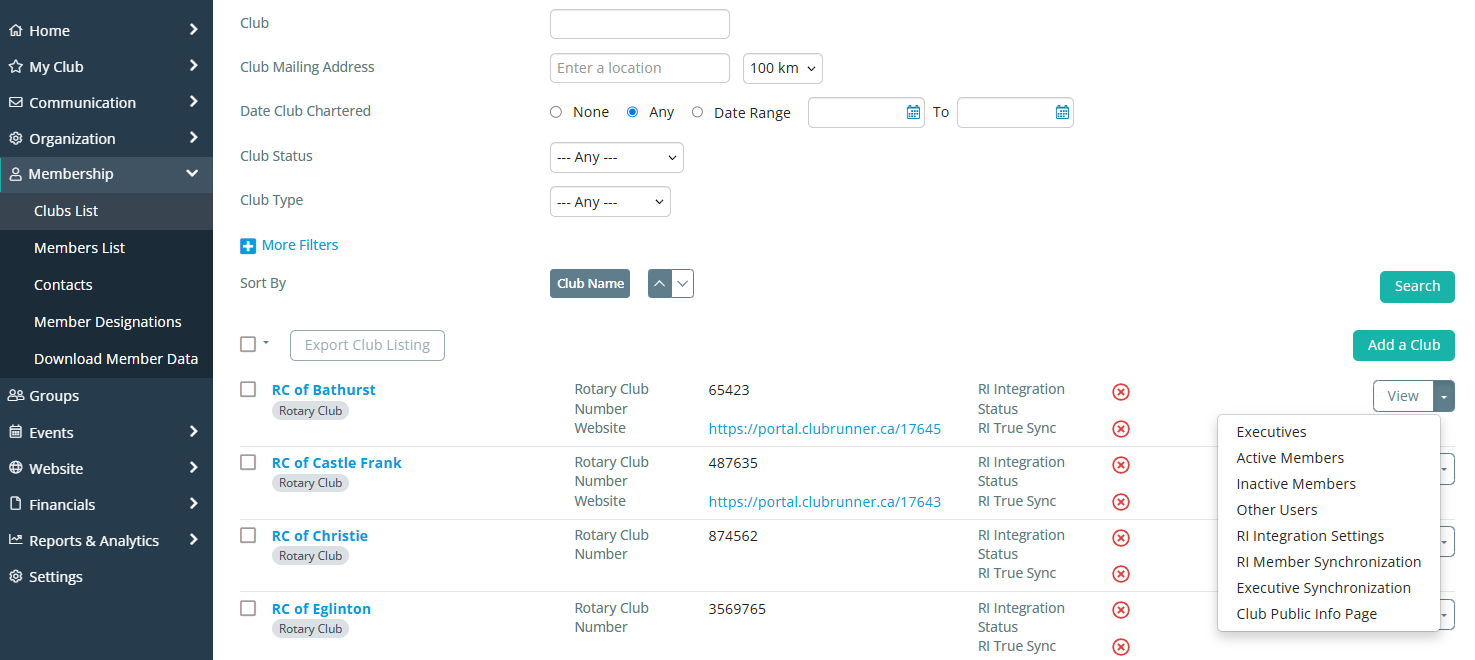
Access the full list of clubs in your district, filter by club type, review their Rotary integration status, and view more information with ease.
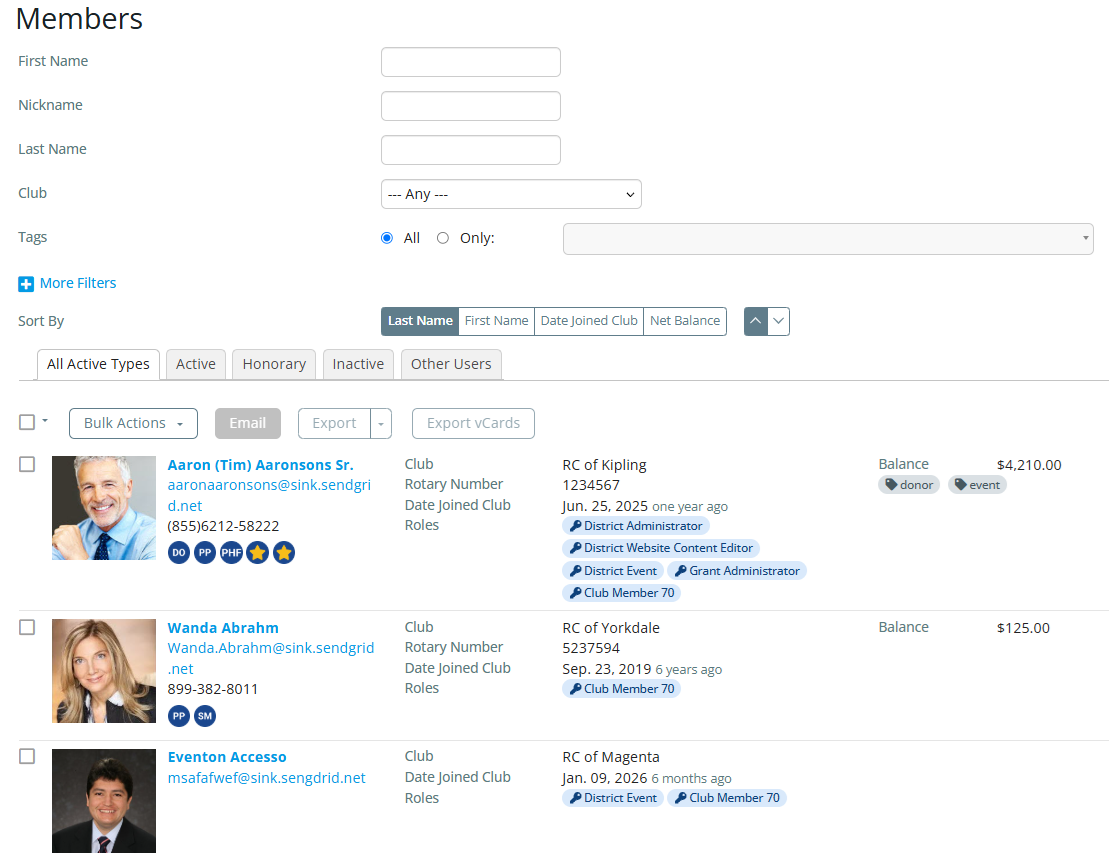
The Members List now displays information for all members across the district. You can use the filters at the top of the page to display results by club, or by other specific criteria such as tags, designations, roles, and more.
You can also quickly navigate to any person's profile by using the search bar at the top of the members area.

Managing Permissions
It is no longer necessary to navigate to a dedicated page to assign district roles, you can add them directly from a member's profile.
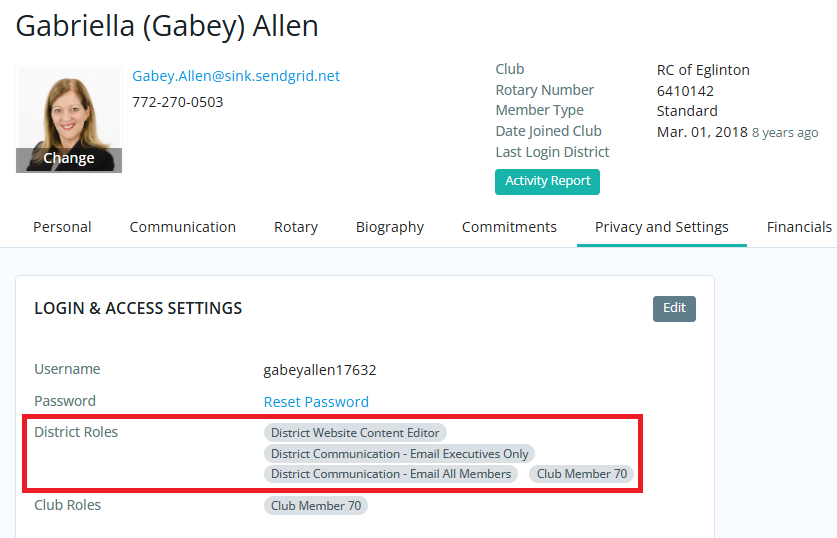
The new profile allows you to maintain detailed information about members and contacts. You can view communication history, financials records, or keep track of notes and documents related to the individual all within their profile.
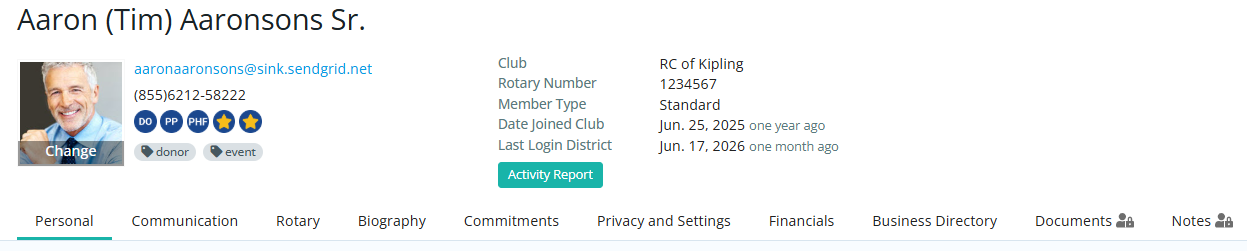
For more information about member profiles, please read: What is the Nova Member Profile?
Business Directory
Members can opt in to a brand new business directory, allowing them to showcase and promote their personal businesses from their profiles. They can add their business name, address, logo, and social media links, letting fellow members discover and support their personal endeavours.
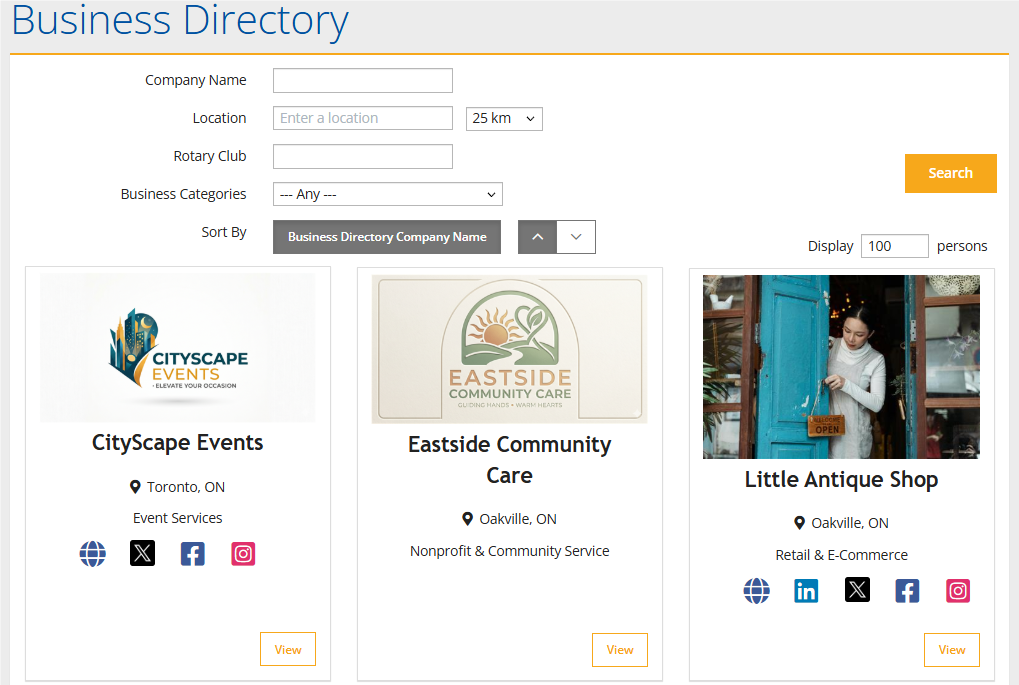
The business directory provides total privacy control, letting each member decide which fields are visible, and they may opt out of the directory entirely at any time.
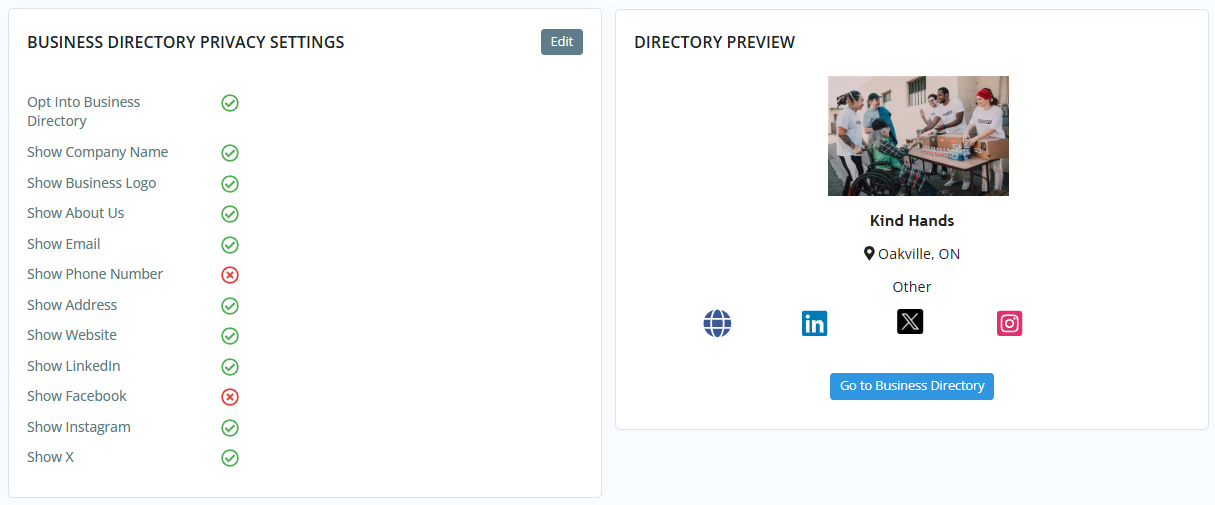
For more information, please read the support article: How do I opt in to the business directory?
Groups
The new Groups feature lets you create custom spaces for committees and boards to collaborate. You can use smart lists to populate dynamic groups with members based on their roles or club activity.
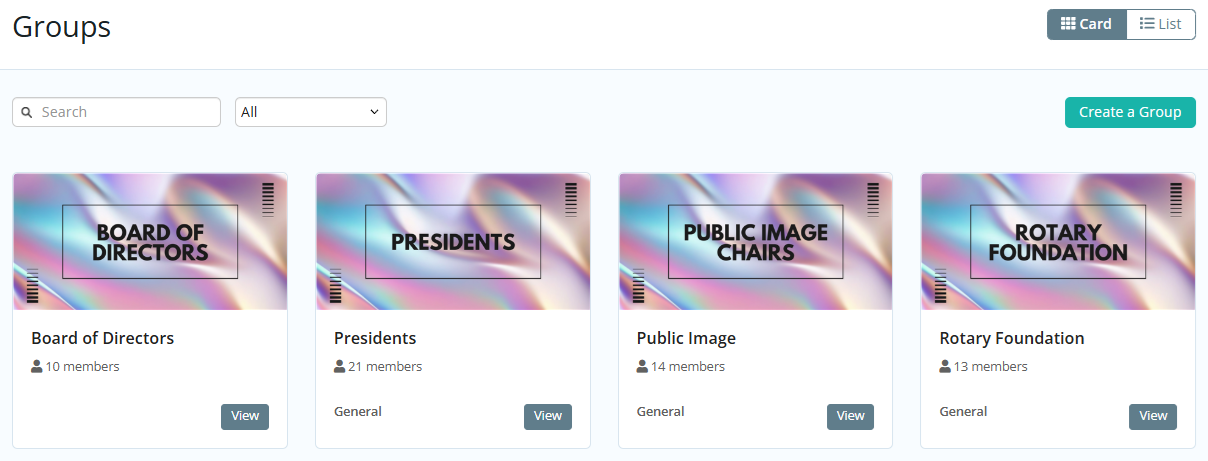
Your leadership teams can upload and manage documents, schedule group-related events, and communicate with each other through a single dashboard.
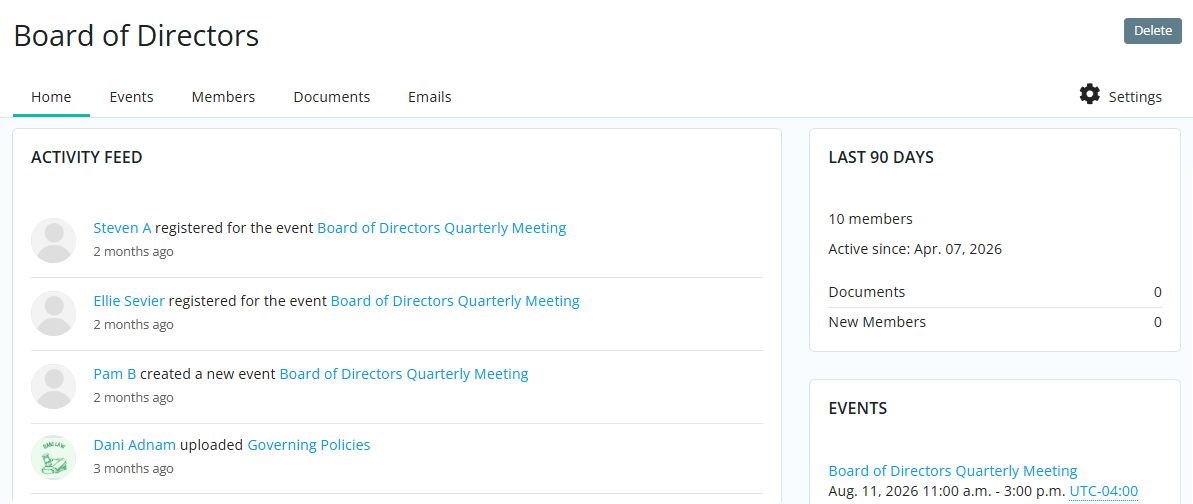
You can learn more about groups by reading: How do I create a Group on the district?
Batch Invoicing
Districts are now able to invoice their clubs directly to streamline the billing process.
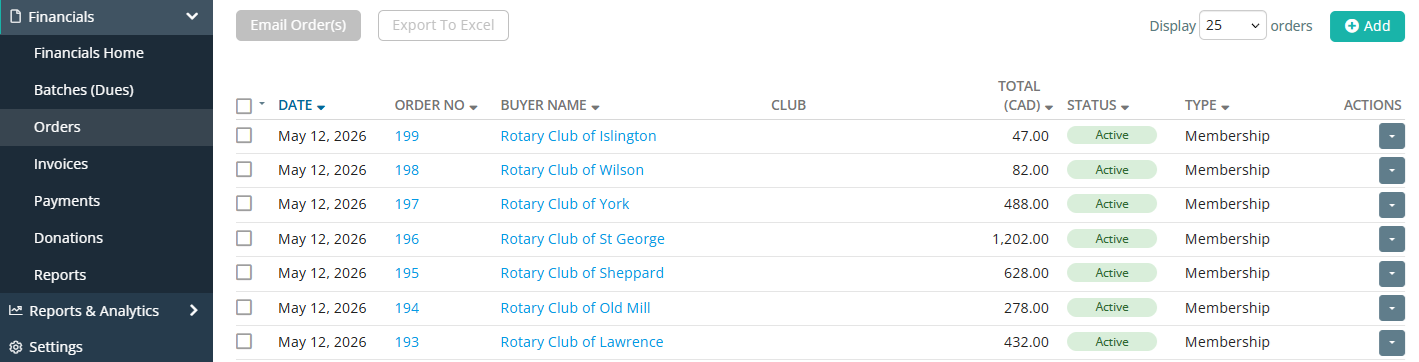
Generate batches of orders, apply charges in bulk, and track and record payments from the Financials module. You can bill clubs based on their total membership, and can generate orders and invoices for members and contacts.
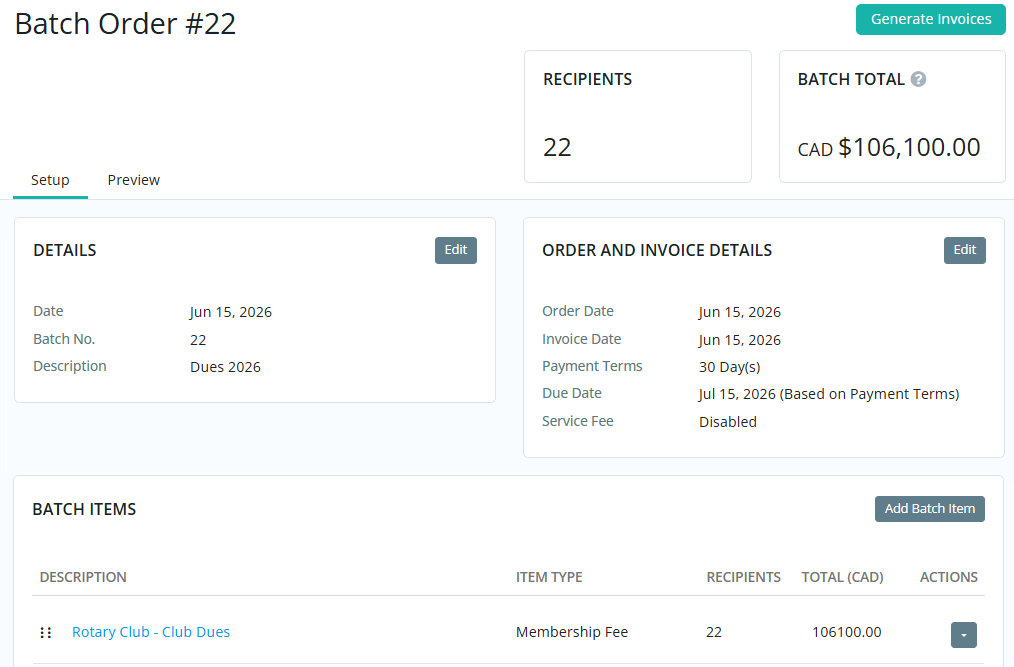
To learn how to create batches to invoice members and contacts, please read: How do I create a batch of invoices from the district?